

Button#
active |
disabled |
focus |
pressed |
selected |
|---|---|---|---|---|
|
|
|
|
|
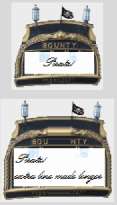
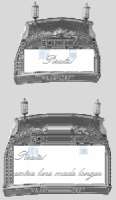
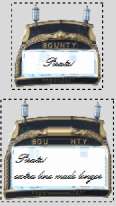
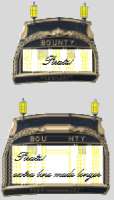
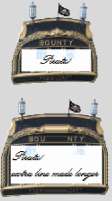
The button widget is based on the rear view of a sailing ship. This gives us an opportunity to create rather different state changes from the normal, where we can use the lights and raise the flag. The vertical border was limited to a few pixels so that the name stays intact. An outside dashed line is more suitable for focus, which then required both configure and layout. These do not work if run as separate clauses, it is best to run them under a single call to the button class "TButton". This differs from the tcl scripts where configure and layout are run separately.
Show/Hide Code 07pirate_button.py
# both theme_create and theme_settings worked
#style.theme_create( "yummy", parent="clam", settings={
style.theme_settings('default', {
# start of theme extract
     'TButton': {
         'configure': {'anchor': 'center', 'font':pirate_font},
         'layout': [
         ('Button.focus', {'children':
            [('Button.button', {'children':
                [('Button.padding', {'children':
                    [('Button.label', {'expand': 0})]
                })]
            })]
        })]},

     'Button.button': {"element create":
          ('image', "button",
           ('pressed', "button-p"),
           ('selected', "button-s"),
           ('active', "button-s"),
           ('disabled', "button-d"),
           {'border':[52,65,47,17], 'padding':[12,54,8,16], 'sticky': "nsew"})
         }

# end of theme extract - don't forget to add comma at end when inserting
     })

style.theme_use ('default') #('yummy') #

widg = Button(fr,text='Piratz!')
widg.grid(column=0,row=18, padx=5, pady=15) #sticky='nsew',
widg1 = Button(fr,text='Piratz!\nextra line made longer')
widg1.grid(column=0,row=19, padx=5, pady=15) # sticky='nsew',
run_state(fr,widg,widg1)

root.mainloop()