

Piratz Separator#
Let's choose the Separator as the next widget. At first glance it may seem to be a simple widget to alter, but looking at its layout we find that the separator has an orientation, and its only component consists of Separator.separator with no orientation.
There is no proper way to make the vertical separator react correctly without a vertical component, so first of all let's improvise. There are 2 separator images in the images directory which should look like rope.
 horizontal separator
 vertical separator
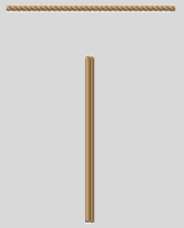
Not using layout#
Look closely at the vertical separator
Show/Hide Code 07pirate_separator.py
# both theme_create and theme_settings worked
style.theme_create( "yummy", parent="clam", settings={
#style.theme_settings('default', {
# start of theme extract
     'Separator.separator': {"element create":
          ('image', "separator",
           #('invalid', "separator-v"), ## uncomment when using 2nd state
           {'border':[3],'sticky': 'nsew'})} ## change from 3 to 2
# end of theme extract - don't forget to add comma at end when inserting
     })

fr1 = Frame(fr, height=250, width=250)
fr1.grid(column=1,row=0,sticky='nsew', padx=5, pady=5)
style.theme_use('yummy') # 'default'
widg = Separator(fr1,orient="horizontal")
widg.place(x=5, y=5, width=150)

widg1 = Separator(fr1,orient="vertical")
#widg1.state(['invalid']) ## uncomment when using 2nd state
widg1.place(x=75, y=50, height=150, width=8) #, width=5


root.mainloop()
Think back to the scrollbar, the final solution was to have a grip which involved changing the layout to be able to include the new element. Also look at the scrollbar arrangement we had a horizontal layout that listed all its elements, and a vertical layout with its set of elements. When element create is invoked we need to distinguish between orientations, so if the element name has an orientation built into its name we just need 'Scrollbar.uparrow': {"element create": whereas we need "Vertical.Scrollbar.thumb": {"element create":.
Let's try this with separator.
'Horizontal.TSeparator': {'layout': [
    ('Horizontal.Separator.hseparator',{"sticky": "ew"},
    )]},

'Vertical.TSeparator': {'layout': [
    ('Vertical.Separator.vseparator',{"sticky": "ns"},
    )]},

'Separator.hseparator': {"element create":
    ('image', "separator",
     {'border':[3],'sticky': 'ew'})},

'Separator.vseparator': {"element create":
    ('image', "separator-v",
     {'border':[3],'sticky': 'ns'})}
That worked and gave us
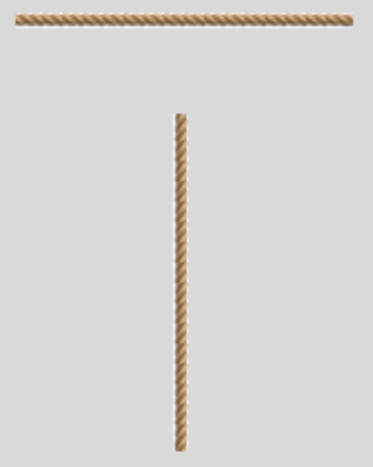
Using layout#
See how the vertical separator now looks
If we now try using a common element name (separator).
'Horizontal.TSeparator': {'layout': [
    ('Horizontal.Separator.separator',{"sticky": "ew"},
    )]},

'Vertical.TSeparator': {'layout': [
    ('Vertical.Separator.separator',{"sticky": "ns"},
    )]},

'Horizontal.Separator.separator': {"element create":
    ('image', "separator",
     {'border':[3],'sticky': 'ew'})},

'Vertical.Separator.separator': {"element create":
    ('image', "separator-v",
     {'border':[3],'sticky': 'ns'})}
The results were exactly the same. Tkinter is pretty impressive.